Export & Download Your Content
To retain access to your content after platform shutdown, please export all your data using one of the methods below.
1. Export from Dashboard
This is the easiest way to download your content as documents.
- Go to Projects and open your project
- Select all items using the checkbox near Name
- Click the Download icon from toolbar
- Choose Download as separate files
- Click Download
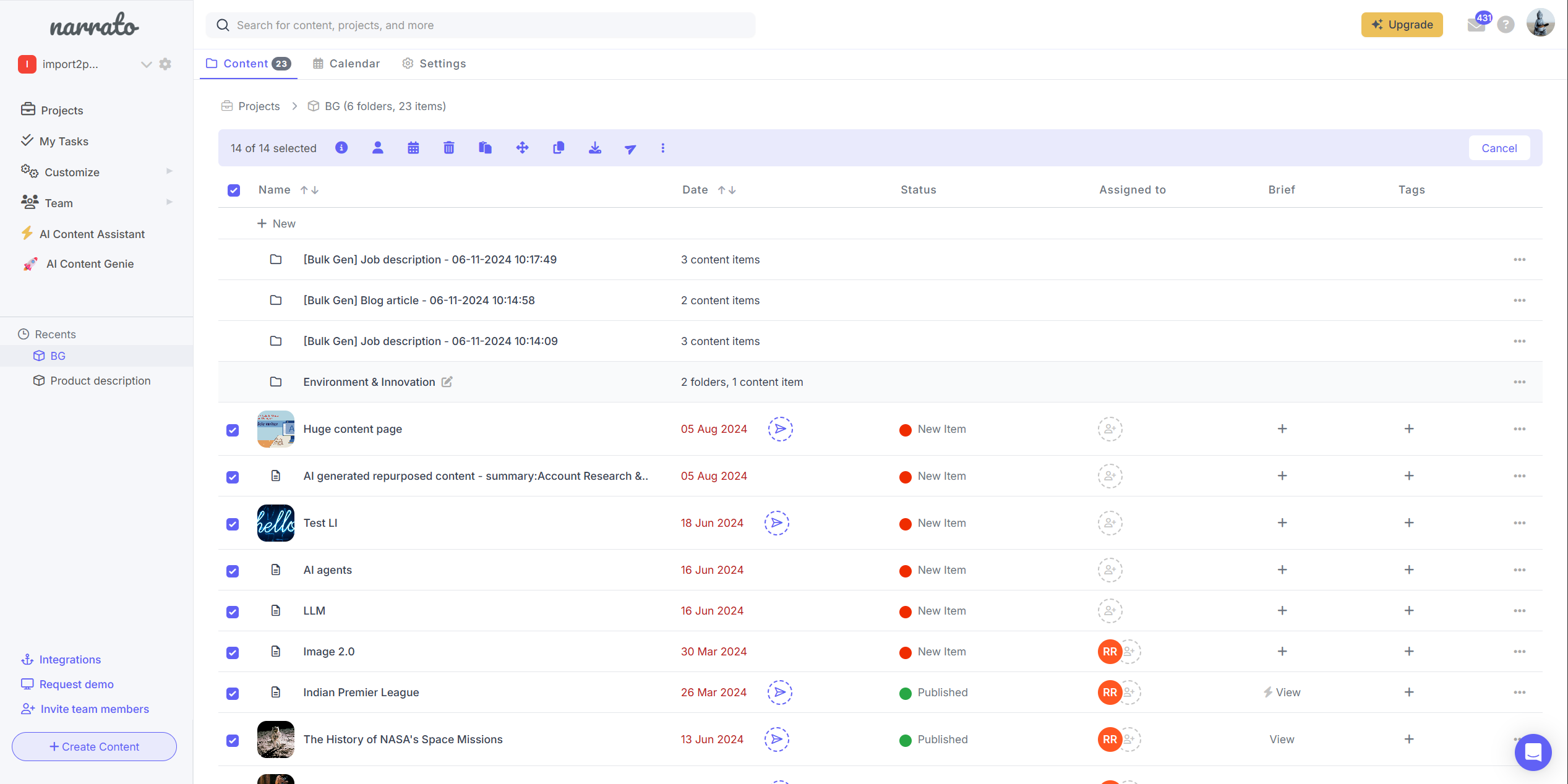
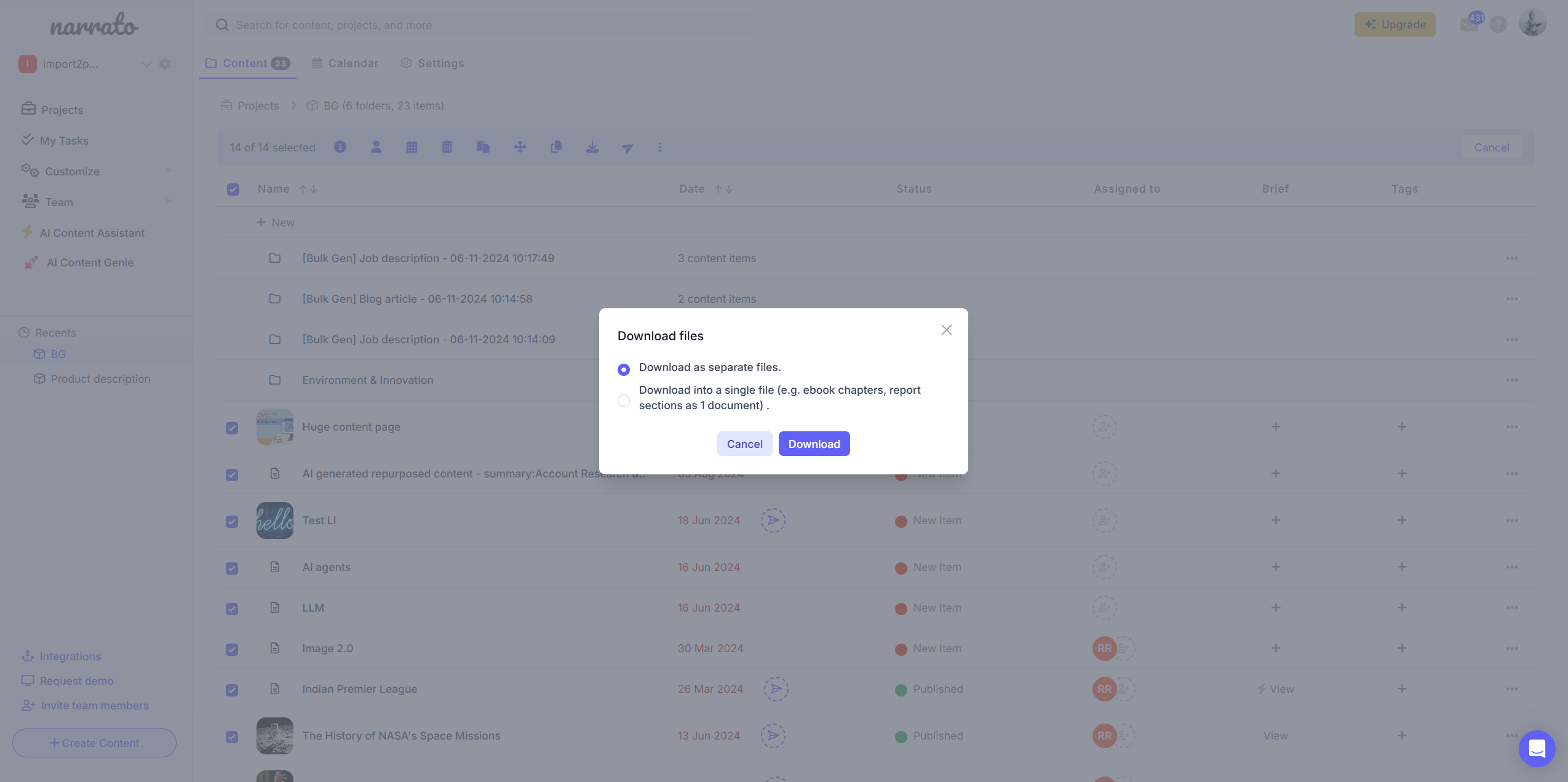
Output: A ZIP file containing all selected content as individual .docx files.
Note: Media or files in attachment sections will not be downloaded. Only images embedded within the content itself will be downloaded.
2. Export Using API
For advanced users, export content programmatically as structured JSON.
API Endpoint: GET https://narrato.io/api/v1/task/meta-data/?task_id={task_id}
What you get:
- Content in JSON format
- Metadata and structured fields
- Temporary URLs for images & attachments
Recommended workflow:
-
Obtain an API token
Retrieve your API token from the Workspace Settings → API tab. -
Fetch workspace projects ↗
Request the list of projects within the workspace.- If the response is paginated, follow the
nextlink to retrieve additional pages.
- If the response is paginated, follow the
-
Iterate through projects
For each project, request its tasks or content items ↗.- Handle pagination here as well by following the
nextlink when present.
- Handle pagination here as well by following the
-
Process each task or content item
For every item:- Call the relevant API endpoint ↗
- Parse the JSON response
-
Extract media URLs
Collect media URLs from:- Content sections
- Attachment sections
-
Download assets
Save the extracted media assets locally for further use.
Please refer to the API documentation ↗ for additional details.
⚠️ Important: Media URLs will expire. Download all assets immediately after export.
Which method should you use?
- Dashboard: Quick, simple export (DOCX)
- API: Full structured export (JSON + media)
⚠️ Export your content before shutdown and verify your downloads!
Feel free to drop us a note at support@narrato.io or reach out to us if you have any questions or need assistance.